 Safe Build Pro
Hybrid AI that double-checks itself
Dedicated detection models trained on construction imagery run alongside a large AI model that verifies uncertain findings. Serious hazards are confirmed across frames before anyone is alerted.
Self-learning AI for construction safety
Safe Build Pro was built to raise the level of safety on your jobsite. Using the cameras already on site, it gives you:
Safe Build Pro will make your site safe.
Why Safe Build Pro
Many camera analytics stop at “person detected.” Safe Build Pro reads the jobsite the way a safety professional does, explains what it saw, and improves from your team’s judgment.
Dedicated detection models trained on construction imagery run alongside a large AI model that verifies uncertain findings. Serious hazards are confirmed across frames before anyone is alerted.
Critical, moderate or low, so your team acts first on what puts lives at risk. Critical hazards stop the screen and reach the phones you choose.
Each detection comes with a prevention recommendation, and every scan produces a separate prevention report your foremen can act on.
Mark a finding right or wrong, say why, and the system turns it into a lesson. False alarms stop repeating, and accuracy climbs where you can see it.
Who it’s for
Connect the cameras on the gates, cranes and facades, and Safe Build Pro watches for hazards around the clock.
Every mapping or survey flight can double as a safety scan. Upload the flight photos and get a hazard report.
You already fly over construction sites. With Safe Build Pro, every flight also delivers a hazard report to the contractor.
Alerts and reports
A detected hazard reaches every role you choose the moment it is found, in the software and on their phone. Reports go out automatically at the end of every day.
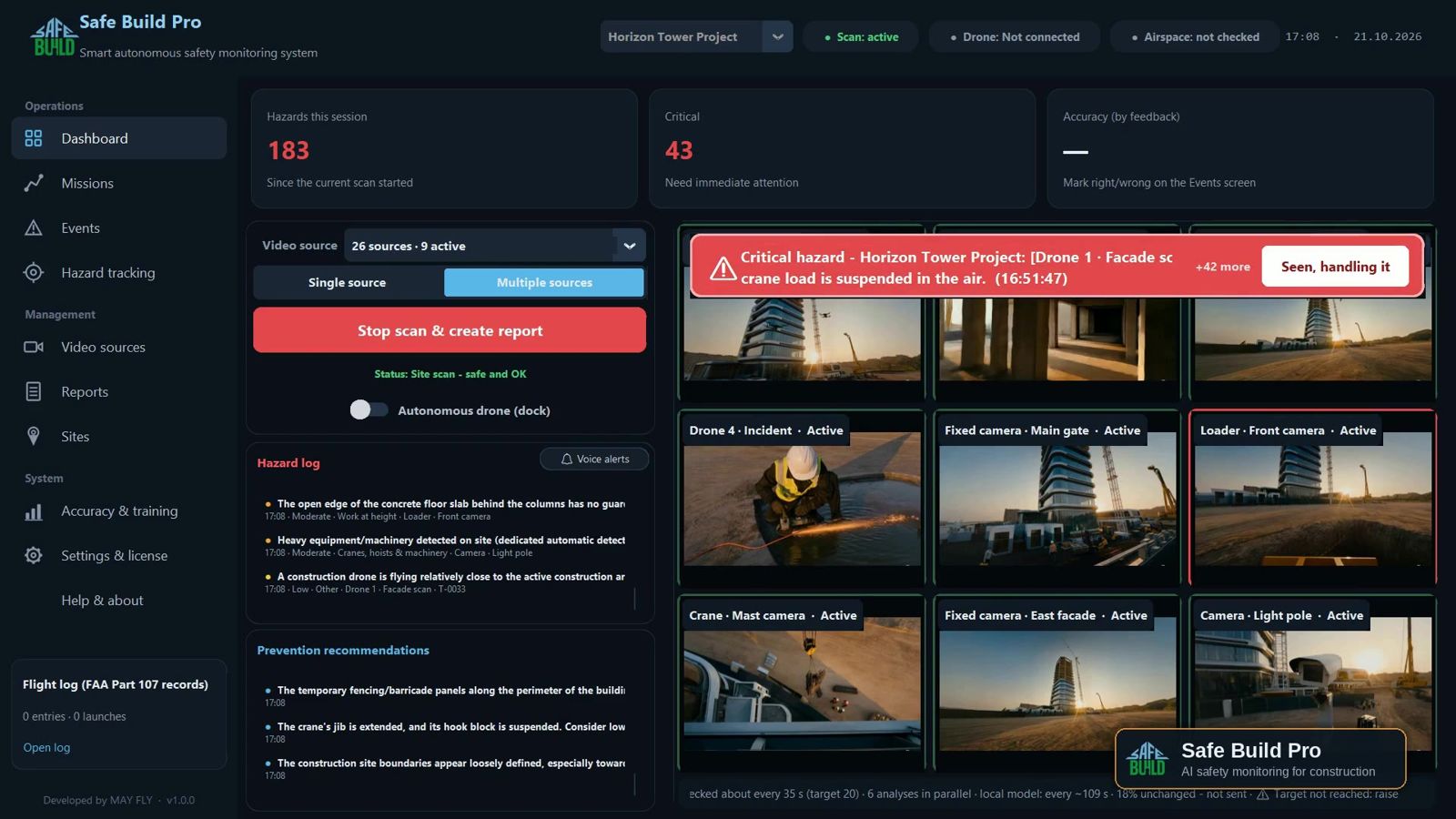
A critical hazard stops the screen with a red banner and a voice alert, and goes straight to everyone who needs to know.
The alert reaches every role on their phone, with the photo, the location and a recommended fix.
A hazards report and a prevention report at the end of every day, as a PDF and a link that opens on any phone. Nobody has to remember to send them.
Start with a trial14 days free, with the cameras already on your site. Judge the results on your own jobsite before you commit.
Join the early-access trialDetection
The categories your safety program already uses, built on the subparts of OSHA’s construction standard. Each finding comes with its photo, its location and the source that saw it.
Unprotected slab edges, missing guardrails, roof work without fall arrest.
Missing planks, toe boards or guardrails, unstable bases, overloaded decks.
Exposed or damaged cables, open panels, power tools near water.
Suspended loads over people, extended jibs, crews inside the swing zone.
Hard hats, hi-vis vests and harnesses, checked on every worker in frame.
Debris on walkways, blocked access routes, materials stacked unsafely.
Loaders, excavators and trucks working close to crews on foot.
Open pits without barricades, unshored walls, spoil piled at the edge.
Floor holes, shafts and unglazed facade openings without covers or rails.
Damaged or unsecured ladders, wrong angle, ladders set at an open edge.
Welding and grinding near flammables, no fire watch, residual heat after hot work.
Anything unsafe that fits no category is still reported, with the AI’s explanation.
Category references point to the matching subpart of OSHA 29 CFR Part 1926. Safe Build Pro supports your safety program and does not replace required inspections.
Severity & prevention
The hazard itself is highlighted in its exact shape and colored by severity, so nobody has to guess what the system means.
A banner stops the screen and alerts go out by messaging app, email and voice. The response is logged when someone taps “Seen, handling it.”
Alerted and reported with the photo, so it is fixed before the end of the shift.
In the report and the hazard log, without interrupting anyone’s day.
Recommendations for what to change on site so the next accident doesn’t happen, in their own report.
Self-learning
Every site is different: your scaffolding system, your nets, your crane. Safe Build Pro learns from the people who know the site best, and the learning is felt from the first day, not after months of retraining.
Real hazard or false alarm, wrong severity, wrong category, or “you missed something here.”
Pick a ready reason or write one. If the explanation is unclear, the system asks a follow-up question.
The AI verifies the explanation against the photo before it trusts it.
A general rule, not tied to one spot or angle, applied to every camera on the site.
A weekly learning curve shows how many alerts were right and how the false-alarm rate falls.
Marked ✗ False alarm · Work at height · Level 7 east edge · Reason: “There is a net.”
“A safety net stretched along the slab edge is edge protection.”
Tracking to closure
Each hazard keeps one ID across scans and flights. Assign it, follow its progress, and see who fixed what and when. Nothing falls through between inspections.
| ID | Hazard | Assigned to | Status | Last seen |
|---|---|---|---|---|
| HZ-0142 | Open slab edge, no guardrail Level 7 · east edge | Framing foreman | Open | Today 4:52 PM |
| HZ-0137 | Excavation without barricade North gate | Site superintendent | In progress | Today 2:10 PM |
| HZ-0129 | Floor opening without cover Level 4 · shaft B | Concrete crew lead | Fixed | Not seen since fix |
| HZ-0118 | Scaffold missing toe boards South facade | Scaffold contractor | Reopened after fix | Yesterday 9:31 AM |
| HZ-0104 | Cables across the walkway Level 2 · core | Electrical sub | Not seen, check if fixed | 3 days ago |
Example rows. A defects follow-up report lists everything still open, by owner.
Reports
Labels never hide the hazard. Each one gets a numbered marker and a legend under the picture, with a close-up for small details.
Sample findings from the demo site.
The tour
From launch to report: live detection, the report on desktop and phone, tracking, drone missions and a first look at the mobile app (coming soon). Sound on for the music.
Drones & airspace
Fixed cameras see the ground. Drones see the facades, the roof and the top floor. Safe Build Pro plans the flights and checks the sky before you launch.
Airspace tools are a planning aid. They do not replace LAANC authorization or a pre-flight briefing. NOTAMs and TFRs are pasted in by the pilot and checked against the site.
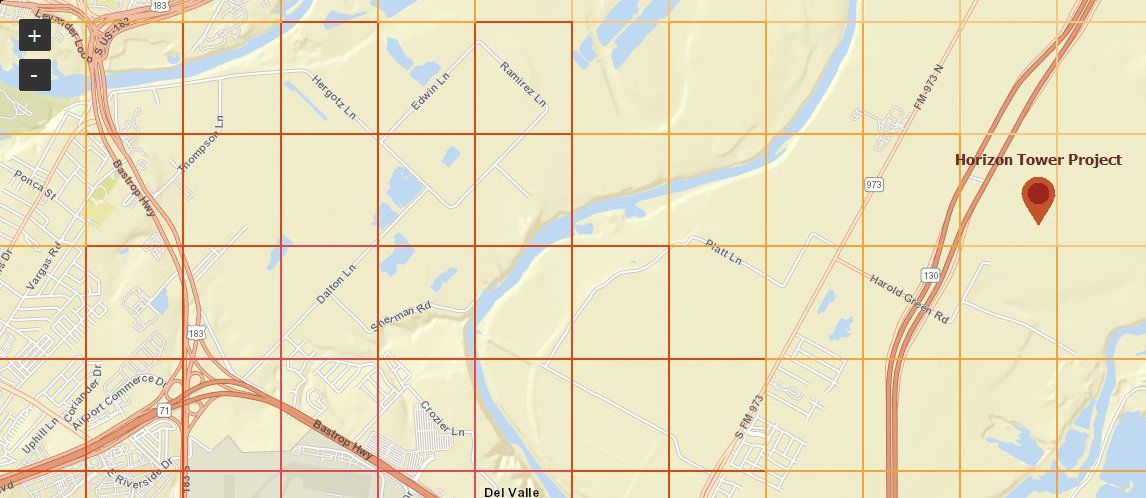
The FAA UAS Facility Map loads by itself for every US site and refreshes daily.
Overview, facade, perimeter and hazard-verification flights, exported for DJI Pilot 2 or MAVLink (PX4 / ArduPilot).
Every mission keeps height separation from the tower crane’s jib and hoist rope at any slew angle.
Facade openings are placed on the building wall, then a second flight looks inside each one.
Thermal pictures reveal overheated panels and connections, and smoldering heat after hot work.
Hundreds of overlapping survey photos are thinned to a set that still covers the site, cutting analysis cost by 70–90%.
Wind, gusts, rain, airspace, docking station and battery in one check, and every launch logged.
Fits your site
Every camera with a video stream (RTSP), on the gates, the cranes and the facades.
Live feeds, docking stations for autonomous patrols, and post-flight photo folders analyzed in one batch.
One-click system check and a test alert to every channel, so the first real hazard reaches the right phone.
US units by default, metric with one switch, and your local time zone set automatically.
Enterprise rollout
Built for contractors running many projects at once. Every site learns on its own, and the lessons your safety leadership approves can be shared across all of them.
Sign up, download and connect cameras on your site. Detection and learning start on day one.
When the trial ends you get a summary of what was found, what was fixed and what the software learned about your site.
Site by site, with approved lessons carried from the trial to every new site.
FAQ
No. Fixed site cameras are enough to start. Drones add what cameras can’t reach: facades, roofs and the top floors.
From the first mark. A false alarm your team marks is applied to that site right away, and the reason behind it becomes a lesson for every camera on the site.
No. Lessons guide the AI, but a life-threatening hazard is always reported.
No. It gives your safety manager eyes on every corner of the site at once, so their time goes into fixing hazards instead of finding them.
It supports your safety program and keeps a record of every hazard and fix. It does not replace inspections or the responsibilities that regulation places on your site.
Trial sign-up
The trial opens soon. Fill in your company details and be first in line when it does. The trial: 14 days, free.
Questions? Write to us:
info@safebuild.pro